Boolean Searching
When searching a research database, library catalog, or even the web it is often necessary to use Boolean searching in order to get the results you need.   Boolean searching is a way of constructing your search in a way the computer or search engine will "understand".
Using what are called "Boolean operators" will reduce your frustration and improve your results.   Boolean logic allows you to combine your keywords using the Boolean operators:
  • AND
  • OR
  • NOT
These operators can also be combined in the same search.
 
The AND operator

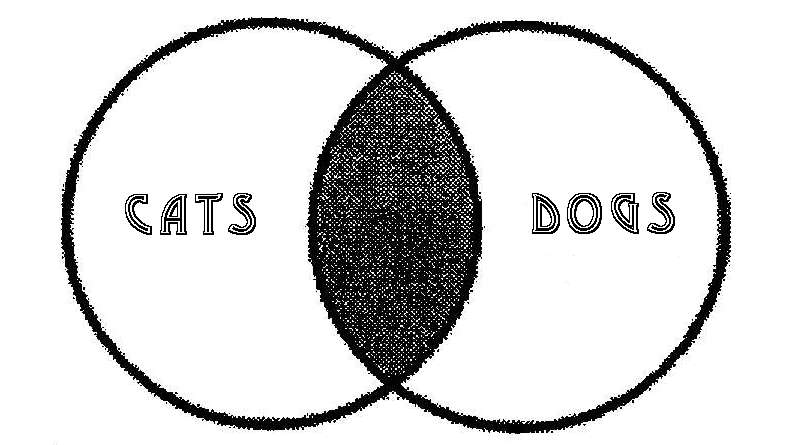
Using the operator AND will narrow your search, returning fewer, more precise results. Only results including all of the search terms will be returned.

In the Venn diagram below, the gray area represents the results that are returned. This diagram represents the search: cats AND dogs.

The OR operator

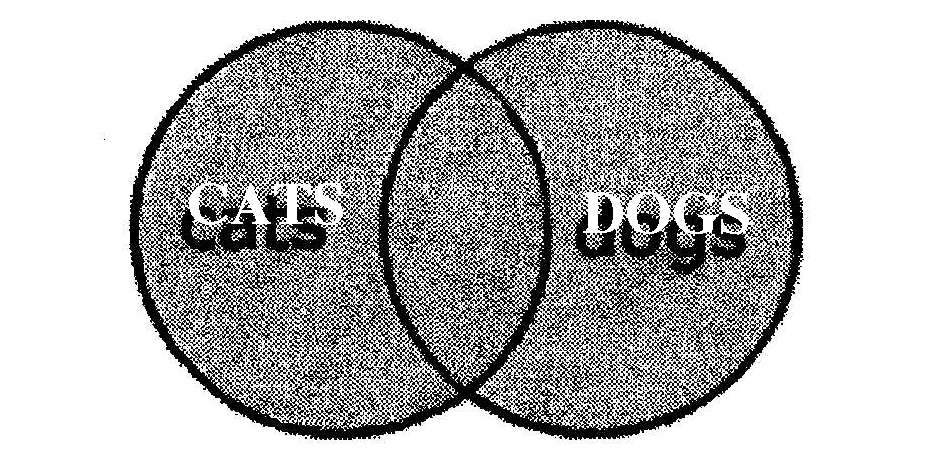
The operator OR will broaden your search, retrieving more, less specific results. Results including any of the search terms will be returned. This is useful when your search term has commonly used synonyms.

The diagram below represents the search: cats OR dogs

The NOT operator

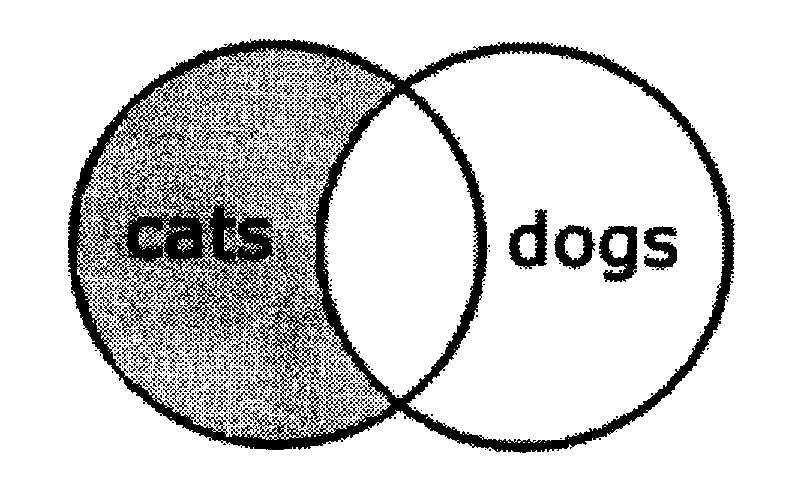
The operator NOT (or NO) eliminates items. It is useful for eliminating subcategories that are not relevant to your search. For example: painting NOT watercolor

This diagram represents the search: cats NOT dogs

Final Notes:

Generally speaking, if your search results number in the hundreds, it will not be productive to look through them. Use the Boolean operator AND to add search terms to increase the specificity of your search.

If no more than 1 in 10 of your results are relevant to your topic, use AND or NOT to narrow your search.

Finally, if you have any questions about constructing a search using Boolean operators, ask a librarian! Librarians are always thrilled to get questions about such topics; we really do love this stuff. Many libraries now make it possible to speak with a librarian on the telephone, via email, or over an Internet chat so it may not even be necessary for you to go into the library to get professional help with your searches!

Created by Rachel Bridgewater, 6/2004
Permission is granted for unlimited non-commercial use of this guide.